blob: c971e77be8f0807ec4c7dc27a913ef6dffb22270 (
plain)
1
2
3
4
5
6
7
8
9
10
11
12
13
14
15
16
17
18
19
20
21
22
23
24
25
26
27
28
29
30
31
32
33
34
35
36
37
38
39
40
41
42
43
|
dwm.tmux
===
[dwm](http://dwm.suckless.org/)-inspired tiling pane management for Tmux.
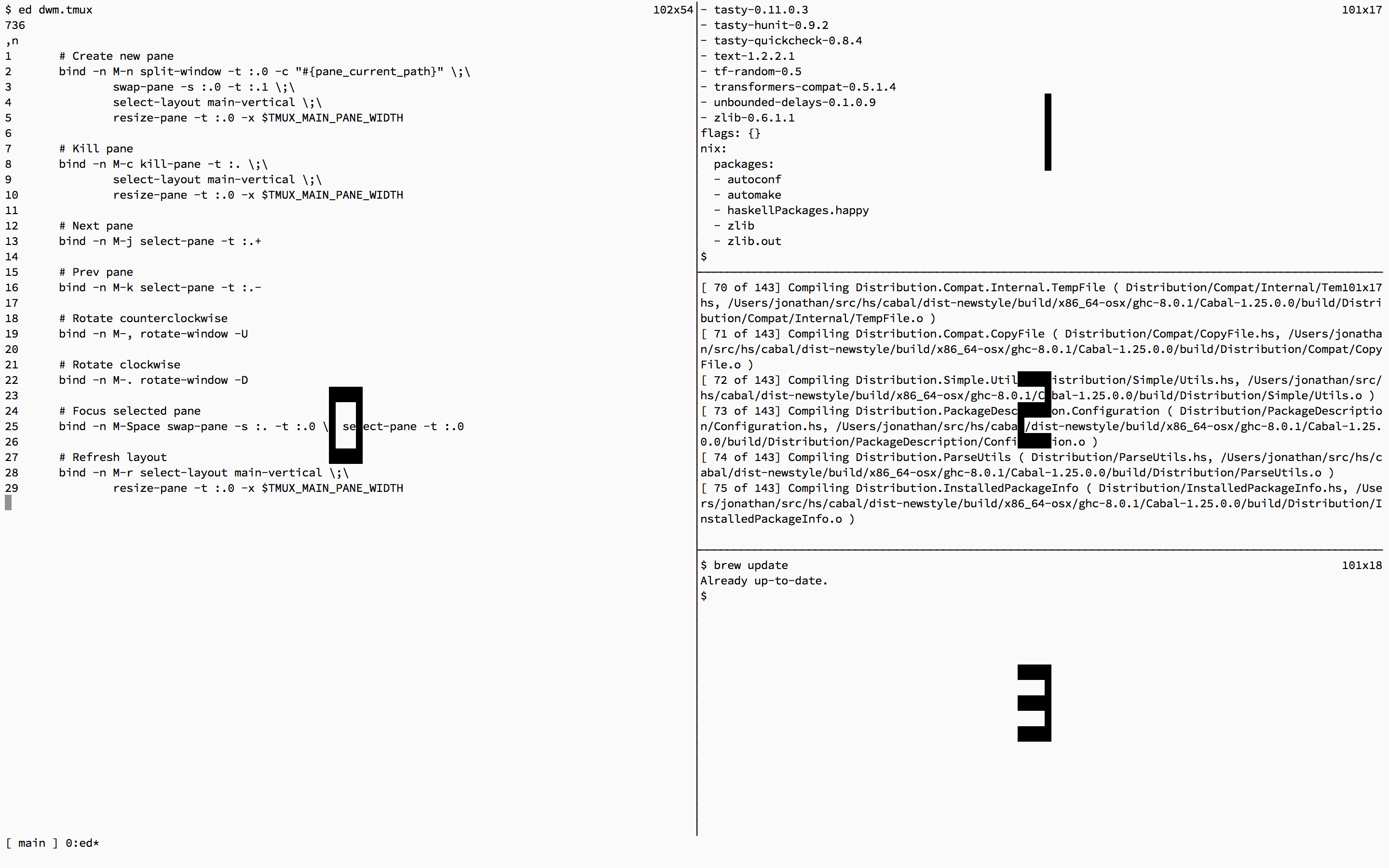
## Usage
dwm.tmux defines several keybindings to assist with pane management:
- `Meta-N` Create a new pane and place it in the Main pane
- `Meta-W` Create a new pane starting in the same directory and place it in the Main pane
- `Meta-C` Close the current pane. If the pane is in the Main pane, close the pane and promote the first pane in the stack to the Main pane
- `Meta-J` Select the next pane (clockwise)
- `Meta-K` Select the previous pane (counterclockwise)
- `Meta-,` Rotate panes counterclockwise
- `Meta-.` Rotate panes clockwise
- `Meta-R` Refresh layout
- `Meta-space` Place select pane in the Main pane
- `Meta-m` Zoom selected pane
## Details
Similar to dwm, windows are always organised as follows:
```
====================================
| | S1 |
| |==================
| M(0) | S2 |
| |==================
| | S3 |
====================================
```
A large Master pane is placed on the left side of the screen while a stack of smaller panes is placed on the right. The Master pane is always pane 0, while the stack of panes is numbered sequentially in ascending order.
## Setup
To use dwm.tmux:
- `git clone git@github.com/saysjonathan/dwm.tmux.git $HOME/.dwm.tmux`
- `echo 'source-file $HOME/.dwm.tmux/dwm.tmux' >> $HOME/.tmux.conf`
dwm.tmux requires tmux > 2.0.
|
